Maryland Small Claims Court Records are handled through the District Court of Maryland. The state’s small-claims process is designed for relatively straightforward money disputes, and qualifying claims generally involve $5,000 or less, money damages only, and no pretrial discovery.
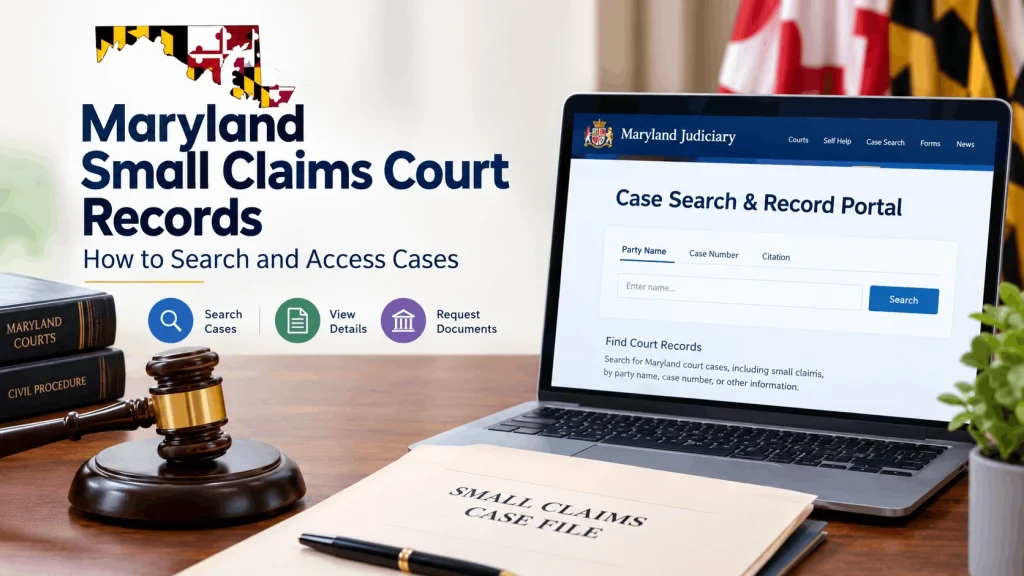
For someone researching a previous lawsuit, the most important question is usually where to find the case record and what information is actually available online. The Maryland Judiciary Case Search & Record Portal is the primary starting point for public case information. The Judiciary launched the redesigned portal in March 2026, integrating the previous Case Search and Record Search systems.
A search can help identify parties, case numbers, filing information, hearings, events, and dispositions. However, an online case summary is not necessarily the complete court file. Additional documents may need to be obtained from the appropriate clerk’s office.
What Are Maryland Small Claims Court Records?
Small claims court records are the official records associated with a small-claims action filed in Maryland District Court. They can document the parties involved, the nature of the case, court events, hearings, judgments, and other information created during the proceeding.
Maryland’s Judiciary provides public access to case information through its online system, subject to the state’s rules governing access to judicial records.
What a Record May Show
Depending on the case and the information available to the public, a Case Search result may include:
- Plaintiff and defendant names
- Case number
- Court and jurisdiction information
- Filing date
- Hearing or trial information
- Case events
- Case disposition
- Other selected case information
The Judiciary explains that Case Search provides information such as party names, case numbers, trial dates and case dispositions. Historical availability can vary by jurisdiction and the development of electronic case-management systems.
Small Claims Are District Court Cases
A useful distinction is that Maryland does not operate a separate statewide court called “Small Claims Court.” Small claims are a type of civil case handled by the District Court of Maryland.
To qualify as a small claim, the case must meet three conditions:
- The claim is for $5,000 or less.
- The claim seeks money only.
- The plaintiff does not plan to request discovery.
These requirements come from Maryland’s small-claims rules and Judiciary guidance.
How to Search Maryland Small Claims Court Records
The simplest way to begin a statewide search is through the official Maryland Judiciary Case Search & Record Portal.
Search by Party Name
If you know the plaintiff or defendant, a name search is often the most practical starting point.
Maryland’s Case Search system defaults to exact-name searching. For a partial last-name search, the Judiciary says to enter at least the first character of the last name followed by %. A partial first name can also be entered with the wildcard where appropriate.
For example, if you are trying to locate a case involving someone named Michael Johnson, begin with the complete name if you know the correct spelling. If the exact spelling is uncertain, use the permitted partial-search format instead of repeatedly guessing different spellings.
Search by Case Number
A case number is usually more precise than a name.
If a court document, summons, judgment, or previous correspondence gives you the case number, use it when available. It can help distinguish between people with similar names and multiple lawsuits involving the same party.
A case number is especially useful when researching a business or individual with a common name.
Narrow the Search
Broad searches can produce too many results. Maryland’s Case Search FAQ states that searches producing more than 600 records are limited and may not contain the particular case you want. The Judiciary recommends narrowing the search with information such as filing-date ranges, first name, court, or case type.
A practical search sequence is:
- Start with the full party name.
- Add the county or court information if available.
- Narrow the filing period.
- Review civil cases.
- Compare the parties and case number.
- Open the matching case and review its event history.
This is usually more reliable than searching the web for a person’s name and assuming a third-party record page is an official court record.
What Information Can You See Online?
Case Search is useful for identifying and following a case, but users should understand its limits.
Case Details vs. Complete Documents
The online system does not necessarily provide every document contained in a court file. Maryland Courts specifically explains that Case Search provides a summary rather than a complete record. For a complete file, users may need to inspect or request records from the clerk’s office.
This distinction matters when you need more than confirmation that a lawsuit existed.
For example, a Case Search result may help establish that a small-claims case was filed and show its disposition. But if you need to examine a particular complaint, motion, exhibit, judgment, or other document, you may need to request the underlying record.
Understanding Event History
A case’s event history can contain abbreviations and codes used by court staff. Some entries identify filings, notices, hearings, judgments, or other procedural events.
The Judiciary provides explanations for civil event codes because the terminology can vary by jurisdiction.
Do not assume that every event means the case was decided in favor of the plaintiff. A filing, scheduled hearing, dismissal, judgment, or other event has a different procedural meaning.
If the result is unclear, check the disposition and obtain the underlying court document when necessary.
How to Get the Complete Court File
When an online search does not provide enough information, the next step is usually the appropriate District Court Clerk’s Office.
Contact the Correct Clerk
Maryland Courts states that most judicial records are maintained by local clerk’s offices. Requests should generally be directed to the clerk’s office where the case was filed or where the hearing or trial took place.
The clerk can be useful when you need:
- A copy of a filed document
- A judgment
- A particular court filing
- Information not displayed online
- Help determining whether an older record is available
- Access to a record that is not electronically available
The Judiciary’s court directory can help identify the appropriate District Court location.
Online Does Not Mean Complete
One common mistake is assuming that because a case appears in Case Search, every document should also appear online.
That is not necessarily the case. Maryland distinguishes between remote access to selected case information and access to the complete judicial record. The Judiciary explains that Case Search does not provide access to a complete record.
If a document is important for legal, financial, or research purposes, verify it through the court rather than relying solely on a summary screen.
Are Small Claims Records Public in Maryland?
Generally, Maryland court records are open to public inspection, but access is subject to exceptions established by law and the Maryland Rules on Access to Court Records.
When Records May Be Restricted
Some information or records may not be publicly available because they are confidential, sealed, shielded, or otherwise restricted.
The Judiciary lists several categories of records that are not generally open to the public without a court order or another legal basis. It also explains that certain information in otherwise public case files may be restricted.
Therefore, not finding information online does not automatically mean that no case exists.
The Case Search FAQ explains that the message “No electronic record exists or case not subject to electronic inspection” can mean either that no case record exists or that the record is not publicly available electronically.
How Long Do Records Stay Online?
The Maryland Judiciary states that Case Search records can remain available indefinitely and are not removed except for a court-ordered reason, such as expungement.
Historical availability is a separate issue. The Judiciary notes that District Court civil records in Case Search go back to 1989, although some cases are in a history database and may not be available through the normal search interface.
For an older small-claims case, therefore, a missing online result should not be treated as proof that the case never existed.
How to Read a Small Claims Case Result
Finding a case is only the first step. You also need to understand what the result means.
Identify the Parties
Check who is listed as the plaintiff and who is listed as the defendant. This is particularly important when names are common.
A business can also appear as a party. Maryland’s Case Search FAQ notes that, in some cases, a company may not be recognized as a company during a search. The Judiciary recommends trying the Person Search and entering the company name in the last-name field if necessary.
Check the Case Type
The case type helps determine whether the matter was actually a small claim.
Maryland District Court records can include different categories of civil cases. Recent Judiciary case-file reports, for example, distinguish entries such as “Contract – Small Claims,” “Contract – Small Claims Consumer Debt,” and larger civil claims.
Do not rely solely on the fact that a dispute involved money. The case classification shown in the court record provides useful context.
Review the Disposition
The disposition is one of the most important parts of a case result.
It tells you how the case was resolved or what happened to it procedurally. A case that was dismissed is different from one in which the court entered a judgment after considering the dispute.
If the outcome is important, obtain the actual judgment or other relevant document rather than drawing conclusions from a party name or case title alone.
Small Claims Records and Judgments
A small-claims case may result in a money judgment. Maryland Courts defines a judgment as a court decision that may order someone to pay a specified amount.
A Judgment Is Not the Same as Payment
Finding a judgment in a court record does not necessarily mean that the person who won the case has already received the money.
The Maryland Judiciary explains that the court does not collect the money for a successful small-claims plaintiff. Additional steps may be required to enforce a judgment if the losing party does not pay voluntarily.
This distinction is important when researching a case for collection purposes. A judgment establishes the court’s decision, while satisfaction concerns whether the financial obligation has actually been resolved.
Small Claims and Judgment Records
Maryland provides separate information concerning judgments and liens. The Judiciary notes that indexed judgment and lien information can include details such as party names, case disposition, original date, status date, and indexed date. However, the current Judgments/Liens information does not include District Court records in that separate search.
For a District Court small-claims judgment, the case itself remains an important source.
If you need confirmation of a specific judgment, review the case record and, where necessary, request the relevant document from the District Court clerk.
Common Problems When Searching
A search can fail even when you have the correct person or business in mind.
The Name Produces No Results
Check the spelling first. Then try the partial-name search rules supported by Case Search.
Also consider whether:
- The case is older.
- The record is restricted.
- The case was filed under a business name.
- You searched the wrong court type.
- The information has not yet been entered by the clerk.
Maryland says case information is generally reflected in Case Search shortly after the clerk enters it, but the timing of entry varies by jurisdiction.
Too Many Results Appear
Do not scroll through hundreds of unrelated records.
Use additional information such as:
- Filing date
- First name
- County or court
- Case type
- Another party’s name
- Case number
The Judiciary specifically recommends narrowing searches when the result set exceeds 600 records.
An Older Case Is Missing
Older Maryland District Court civil records can have different electronic availability. The Judiciary reports that civil Case Search data reaches back to 1989, but some cases are held in a history database and are unavailable through the ordinary online search.
For an older matter, contact the relevant clerk’s office rather than assuming the case was never filed.
What the 2026 Portal Changed
Maryland’s court-record system changed in March 2026. The Maryland Judiciary launched the Case Search & Record Portal on March 14, 2026, combining the former Case Search and Maryland Judiciary Record Search systems.
For ordinary members of the public, the portal continues to provide access to public case information. Attorneys and authorized parties receive enhanced access to detailed case information and documents.
This distinction is useful because someone researching another person’s small-claims case should not expect the same document access available to an authorized party.
Is Case Search a Background Check?
No.
The Maryland Judiciary specifically warns that Case Search should not be used to perform criminal background checks. Official criminal-history background checks are handled through the Criminal Justice Information System (CJIS) operated by Maryland’s Department of Public Safety and Correctional Services.
A civil small-claims case is also not evidence that someone committed a crime. It is a civil dispute handled through the court system.
This distinction is important when interpreting information found in a Maryland court record.
Tips for Accurate Records Research
A reliable search is easier when you collect identifying information before opening the database.
Information to Have Ready
Useful details include:
- Full legal name
- Business or organization name
- Approximate filing year
- County or court location
- Case number
- Name of the opposing party
- Approximate hearing date
You do not need every item, but more accurate information generally produces a more manageable search.
Verify Before Using the Information
If the record will be used for an important decision, verify the information against the official court record.
Third-party websites can be useful for general research, but they should not replace the Maryland Judiciary or the appropriate clerk’s office when accuracy matters.
Also remember that Case Search itself carries a disclaimer that the information is provided as a public service and may not be complete or current in every circumstance.
Frequently Asked Questions
Can I search Maryland small claims records online?
Yes. Public Maryland court case information can be searched through the Maryland Judiciary Case Search & Record Portal. Small claims are District Court civil cases, so they can be located through the state’s court-record system when the relevant information is publicly available.
Are Maryland small claims court records public?
Generally, Maryland court records are open to public inspection unless an exception applies. Records or portions of records may be sealed, shielded, confidential, or otherwise restricted under Maryland law and court rules.
Can I see the entire small claims case file online?
Not necessarily. Case Search provides selected information and a summary of the case rather than the complete court file. For additional documents, contact the clerk’s office responsible for the case.
How do I find a Maryland small claims case by name?
Search the party’s name through Case Search. Because Maryland’s system defaults to exact-name searches, make sure the spelling is correct. For partial names, use the wildcard format permitted by the Judiciary.
How far back do Maryland civil court records go?
The Judiciary states that District Court civil Case Search information goes back to 1989, although some older cases are stored in a history database and may not be available through the regular online search.
What if I cannot find the case online?
Check the name spelling, try another search method, narrow or expand the date range, and consider whether the case was filed under a business name. If the case is older or still cannot be located, contact the appropriate District Court clerk’s office.
Does a small claims judgment mean the debt was paid?
No. A judgment is the court’s decision. It does not necessarily show that the judgment creditor has received payment. Maryland Courts explains that the court does not collect the money for the successful party.
Final Takeaway
Maryland small claims court records can provide useful information about civil disputes, parties, hearings, case events, and judgments. The best starting point is the official Maryland Judiciary Case Search & Record Portal, followed by the appropriate District Court clerk’s office when you need documents or information that is not available online.
The most important point is to distinguish between a case search result and the complete court file. Online records are valuable for locating and understanding a case, but they may not contain every document. For older cases, restricted information, or records needed for formal purposes, verification through the court remains the safer approach.